
Kiosk, QR code or tabletop tablet: which ordering to add
Published by Aidan Chau · Published · Updated
Kiosks, QR code ordering and tabletop tablets compared from Square, Toast and Ziosk's own pages, with a decision table and a worksheet to pick one.
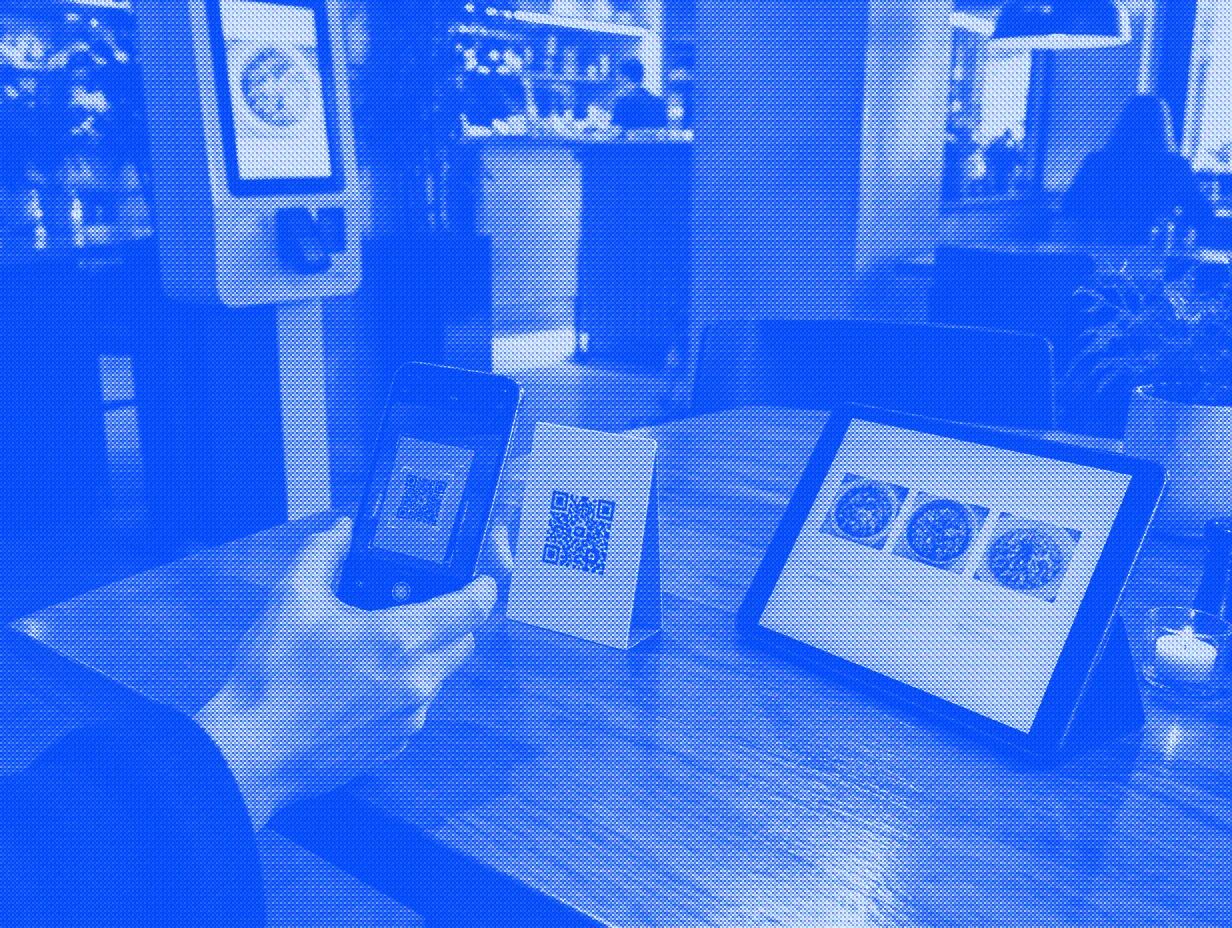
Add a kiosk if guests order at a counter and the line is the problem. Add QR code ordering if guests sit at tables and wait for a server to order again or pay; it runs on their phones, so there is little to buy. A tabletop tablet suits sit-down restaurants that want a device on every table for reorders, payment and games, and it is sold by quote.
For each option, confirm the connection to your POS and kitchen before buying. Which one fits your floor depends on whose screen it is, where the guest pays, and what staff do when an order or payment fails.
Which one fits your restaurant?
| Option | Where the guest orders | Whose screen | How the guest pays | Start here if |
|---|---|---|---|---|
| Self-order kiosk | A fixed screen near the counter | Yours: you buy or lease the hardware | Card reader on the kiosk; some let guests choose cash at a register | You run counter service and guests queue at peak |
| QR code ordering | At the table, seat or pickup spot, on the guest's phone | The guest's | On the phone, per order or on a tab, depending on setup | Guests sit down and wait for someone to take a second order or bring the check |
| Tabletop tablet | A tablet that stays on each table | Yours, through the tablet vendor | Card or mobile wallet on the tablet | You run table service across many tables and want reorders, payment and loyalty sign-up at the table |
If you are leaning toward a kiosk, our self-service kiosk buyer's guide covers hardware, vendors and a checklist. This page covers the choice between the three.
What do Square, Toast and Ziosk say their products do?
| Product | Type | What the vendor's own pages say | Requirements or limits it lists |
|---|---|---|---|
| Square Stand with Kiosk Lite | Kiosk | A compatible iPad in Square Stand, with contactless and chip payments | Compatible iPad, Lite app and at least one active Square POS device; no offline payments in Lite |
| Square Kiosk, standalone | Kiosk | A 21.5-inch device with voice and touch ordering; no iPad required | Plus or Premium and stable internet; the setup guide lists an active POS device; no cash or offline payments |
| Square QR code ordering | QR code | Guests scan a code at a table, seat or parking spot, order and pay on their phone; orders appear on the POS and go to the kitchen printer or KDS | Square Online Plus or Premium, or Square Plus or Premium; each code maps to an ordering station, or guests type their location |
| Toast kiosk | Kiosk | Takes credit and debit cards by default; you can add gift cards, and cash paid to a cashier | You choose whether a cash order goes to the kitchen when the receipt prints or after the guest pays |
| Toast Mobile Order & Pay | QR code | Guests scan a code at their table, order and pay from their phone; you can allow tabs, preauthorized tabs or pay-as-you-go | Needs a Dine In dining option; guests cannot edit an order after they submit it; no ordering or payment through it during an internet outage |
| Ziosk zMini | Tabletop tablet | A 7-inch tablet on the table where guests reorder, pay by card or mobile wallet, join loyalty and play games; Ziosk says it is not a POS and works alongside yours | POS integrations listed on the zMini page: Aloha, Micros and POSitouch; price is a custom quote |
Sources: Square's Kiosk Lite setup guide, standalone Kiosk setup guide, Kiosk product page and QR code ordering guide, Toast's kiosk setup guide and Mobile Order & Pay FAQ, and Ziosk's zMini page and home page FAQ.
Clover also sells a kiosk; see our Clover kiosk guide. For the printed kiosk prices, see the kiosk cost guide and our Square and Toast kiosk pages.
What happens when the internet drops?
Ask this before anything else, because each option fails in its own way.
- Square kiosks: both the Lite and standalone setup guides rule out offline payments. Plan a staff payment route rather than an offline kiosk transaction.
- Toast Mobile Order & Pay: Toast's FAQ says ordering and payment through it stop during an internet outage, and servers should tell guests to order from them.
- QR code ordering: ask the provider what happens if the guest phone, cloud service or restaurant connection fails. Check separately whether the order was accepted, paid and delivered to the kitchen; a working phone page alone does not prove kitchen delivery.
- Tabletop tablets: ask the vendor what the tablet shows and whether open checks survive.
Whichever you pick, write down who takes orders by hand during an outage and keep a printed menu at the host stand.
What changes for your staff?
Measure the work at the register, pickup counter and help point during the trial. A kiosk may change those tasks, but its order count alone does not prove fewer staff hours. QR ordering and tablets also need a clear staff role for questions, corrections and food delivery.
Toast's FAQ advises presenting Mobile Order & Pay as the preferred way to order, since guests can be unsure how to start when it seems optional. It suggests a floor manager or "captain" per section who greets tables, answers menu questions and runs food. It also says staff must check ID before serving alcohol ordered by phone. Because guests cannot edit a submitted order, a big change may need a manager to void the order and enter a new one.
Tabletop tablets add a daily job: charging, cleaning and checking that every unit is at its table and signed in. Ziosk lists 16+ hours of battery on the zMini.
Which guests does each option leave out?
- QR codes need a guest with a phone, a camera app, battery and data. Keep paper menus and a server path for everyone else.
- Kiosks and tablets: check the ways guests can order, including touch, voice where offered, screen readers and staff help. Test reach, readable text and the full payment path with the people who need them; voice alone does not establish accessibility.
- Guests who struggle with long menus may find a screen slower than asking a person. Keep a staffed register or server open.
A QR menu opens a web page. The Justice Department's guidance on web accessibility says businesses open to the public must make what they offer online accessible, and points to WCAG as a helpful standard. Test your ordering page with a phone's screen reader before you print the codes, and ask a lawyer what applies to you.
Voice is a fourth option for the counter. Maple's voice ordering kiosk lets guests say the order while the cart builds on screen, and writes it into the POS. It is in early access with a small number of restaurants and priced per unit, with no public price. Our voice kiosk guide explains where speaking helps and where it does not.
Can you run more than one?
Yes. Square's QR codes can sit at tables, seats or parking spots, each mapped to an ordering station, so a counter-service restaurant can run a kiosk inside and QR codes on the patio. Toast's mobile dining guide describes coffee shops and cafes putting QR signs on tables so guests can skip the line.
Ask which system owns the menu and which channels receive each change. Test a sold-out item and a price change on every screen, recording when each one updates. Our kiosk menu design guide covers item names, modifier groups and photos for self-order screens.
How do you choose? A five-minute worksheet
Answer each question for your busiest shift. Give a point to each option the answer favors.
| Question | If yes, a point to |
|---|---|
| Do guests order and pay before they sit down? | Kiosk |
| Is the queue at the register your worst bottleneck? | Kiosk |
| Do seated guests wait to order a second round or to pay? | QR code or tablet |
| Do you want to spend as little as possible on hardware? | QR code |
| Do you run full table service and want loyalty sign-up at every table? | Tablet |
| Is your Wi-Fi or internet unreliable? | Confirm each option's network requirements and staff fallback before a trial |
| Does your POS vendor sell the option already? | Test that option first; confirm which menu changes and reports the connection carries |
Then run a trial on one shift pattern for two to four weeks. Count orders through the new channel, orders staff had to fix, and guests who asked for help. Keep the counts separate, and compare them with the same weeks before the change.
Published by Maple, which sells an early-access voice ordering kiosk. This AI-assisted guide combines Square, Toast and Ziosk's own product and help pages and Justice Department web guidance with an original decision table and worksheet. It does not report a Maple test of these products, rank vendors or give legal advice.
Evaluate Maple for your restaurant
Compare Voice and Pro pricing · Check your POS integration · Read customer stories
Want Maple answering every call?
Get a free demo


